Transfer your Premier League Predictor leagues to our World Cup Predictor
We're now into the final week of the Premier League season, so when you're checking on the midweek results and preparing to make your predictions for Round 38, make sure you get your World Cup Predictor league created too!
On the Superbru Football app, it's very simple to transfer your Premier League Predictor leagues to our World Cup Predictor game.
1) Head to the Leagues tab on the Superbru Football app
Within the World Cup Predictor, you'll see 10 slots are available, or 15 if you're a Superbru Premium user.
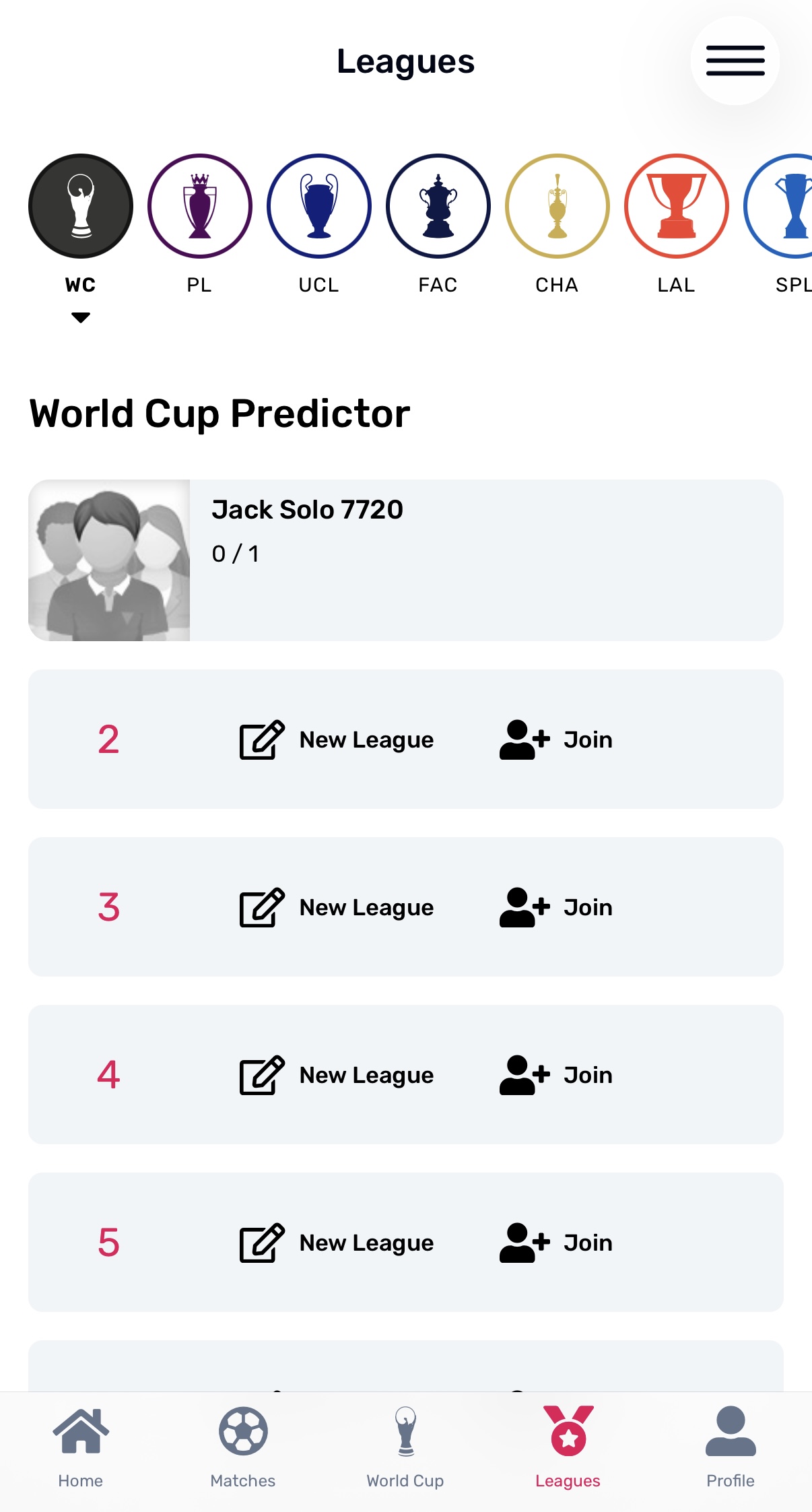
2) Transfer for your league
Once you've tapped 'New League' on an available slot, new users are taken straight to the league creation process, but if you've already captained a league in another tournament, you'll see these options.
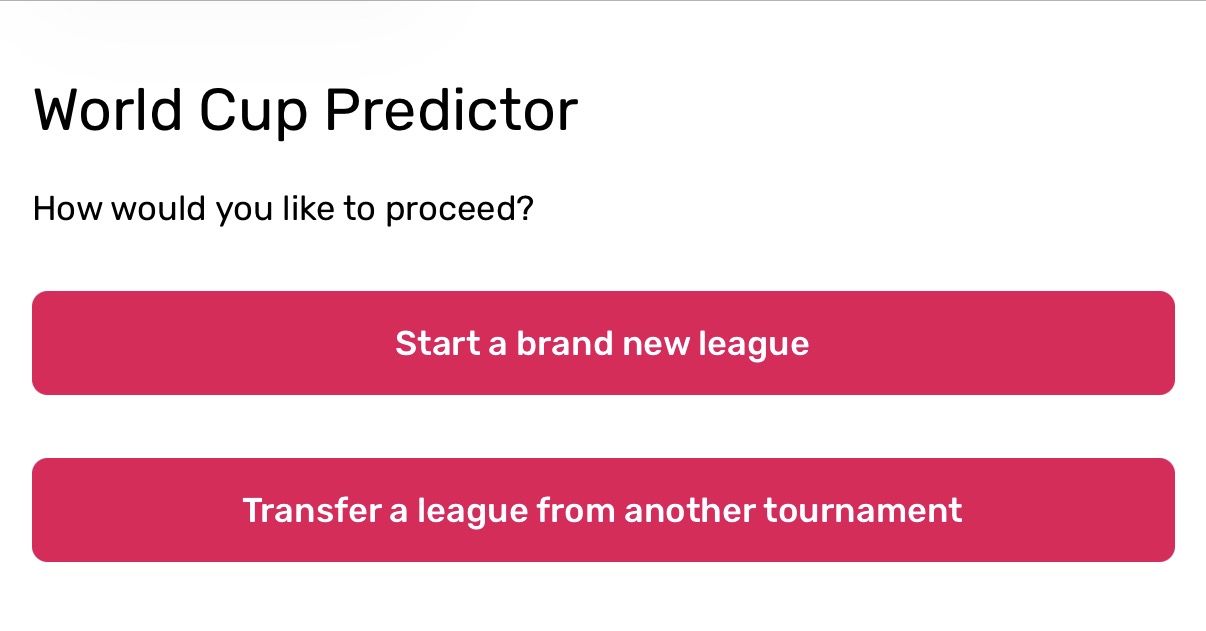
By selecting 'Transfer a league from another tournament', you'll then see a full list of all of the previous leagues that you have captained on Superbru.
Simply tap on a league to transfer it to the World Cup. After doing so, you'll receive an option to send out invitations to everyone that you've played with in the original league, saving you a bit of time and admin.
Note: This works for all previous tournaments played on Superbru, so you can transfer a league from any tournament/sport. We're just using the Premier League as an example since it's our most popular football Predictor game.
Our game by game World Cup Predictor will provide extra entertainment and intrigue for every fixture in the tournament.
As always, it's completely free to play, and you can have as many people as you wish in the leagues that you create.
On the Superbru Football app, it's very simple to transfer your Premier League Predictor leagues to our World Cup Predictor game.
1) Head to the Leagues tab on the Superbru Football app
Within the World Cup Predictor, you'll see 10 slots are available, or 15 if you're a Superbru Premium user.
2) Transfer for your league
Once you've tapped 'New League' on an available slot, new users are taken straight to the league creation process, but if you've already captained a league in another tournament, you'll see these options.
By selecting 'Transfer a league from another tournament', you'll then see a full list of all of the previous leagues that you have captained on Superbru.
Simply tap on a league to transfer it to the World Cup. After doing so, you'll receive an option to send out invitations to everyone that you've played with in the original league, saving you a bit of time and admin.
Note: This works for all previous tournaments played on Superbru, so you can transfer a league from any tournament/sport. We're just using the Premier League as an example since it's our most popular football Predictor game.
World Cup starts June 11th
There's now just 24 days to go until the start of the 2026 World Cup!Our game by game World Cup Predictor will provide extra entertainment and intrigue for every fixture in the tournament.
As always, it's completely free to play, and you can have as many people as you wish in the leagues that you create.

BC
109,991 caps
Noted.... Thank you
18 May 19:48
Report
BC
109,991 caps
When will the Generals Club be activated?
18 May 19:51
Report
 Superbru on X